

How to Withdraw from BC.Game in Kenya: A Complete Guide
- Available Withdrawal Methods for Kenyan BC Game Players
- BC.Game Withdrawal Limits, Time & Verification
- Step-by-Step: How to Withdraw Money from BC.Game
- Troubleshooting: Common BC.Game Withdrawal Issues & Solutions
- Tips for Fast & Secure Withdrawals in Kenya
- Conclusion: Your Reliable Cash Out Path at BC.Game
- FAQs / Common Questions
Available Withdrawal Methods for Kenyan BC Game Players
M-Pesa remains the most popular BC Game withdrawal method for Kenyan players. It offers fast transfers directly to Safaricom numbers, zero platform fees in most cases, and is usually available only if the deposit was made via M-Pesa. Players who deposit or prefer crypto can use Bitcoin, USDT, Ethereum, TRON and other. These options provide fast processing (often under 30 minutes).
| Method | Minimum Withdrawal | Approximate Processing Time | Commission / Fee |
| M-Pesa | KES 277 | 15 minutes – 4 hours | Usually 0% |
| Bitcoin (BTC) | KES ~8500 | 10–60 minutes | Network fee only |
| USDT (TRC20) | KES ~3000 | 5–30 minutes | Very low network fee |
| USDT (ERC20) | KES ~2700 | 15–90 minutes | Higher network fee |
| Ethereum (ETH) | KES ~6000 | 15 min – 2 hours | Variable gas fee |
| TRX (Tron) | KES ~800 | 5–20 minutes | Almost zero fee |
BC.Game Withdrawal Limits, Time & Verification
Withdrawal limits, processing times and verification rules at BC.Game depend on your account status and chosen method. Kenyan players can expect clear and predictable conditions for every BC Game withdrawal. Completing verification early removes most restrictions and speeds up the entire BC Game cash out process.
What is the BC.Game Maximum Withdrawal?
Withdrawal limits at BC.Game vary based on your VIP level, KYC verification status, and chosen withdrawal method. Non-verified or basic accounts typically face daily limits of $2,000–$5,000, while fully verified users (Level 1–2) can withdraw $10,000–$20,000 per day.
| Account Status | Daily Withdrawal Limit | Monthly Limit |
| Non-verified / Basic | $2,000 – $5,000 | Restricted |
| Verified (Level 1–2) | $10,000 – $20,000 | Usually high or uncapped |
| VIP 3 – VIP 5 | $50,000+ (individual limits) | Often uncapped |
How Long Does a BC.Game Withdrawal Take?
Processing time consists of two main stages:
- BC.Game internal processing: usually 0–24 hours (most requests processed within 1–8 hours)
- Payment network time:
- M-Pesa: 15 min to 4 hours (usually under 1 hour during business hours)
- Cryptocurrencies: 5 minutes to 2 hours depending on the coin and network congestion
Most Kenyan players receive M-Pesa withdrawals within 1–2 hours after approval. Crypto withdrawals are often completed in under 30 minutes when using USDT TRC20 or TRX.
Account Verification for Smooth Cash Out
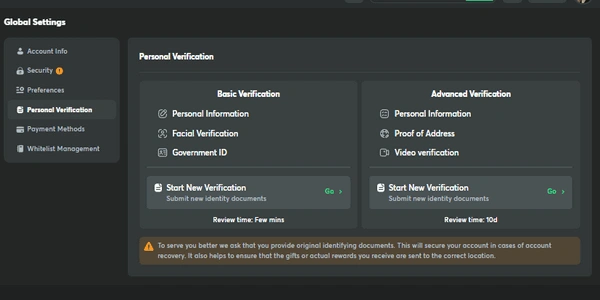
Verification (KYC) is required for the first BC Game cash out or when withdrawing larger amounts. Documents usually requested:
- Government-issued ID (National ID card or Kenyan passport)
- Selfie holding ID (live photo)
- Proof of address (recent utility bill, bank statement or M-Pesa statement with your name and address)
- In some cases, photo of both sides of the ID
Upload clear, well-lit images. Verification usually takes 15 minutes to 24 hours.
Step-by-Step: How to Withdraw Money from BC.Game
Follow these steps to know how to withdraw money from BC Game in Kenya:
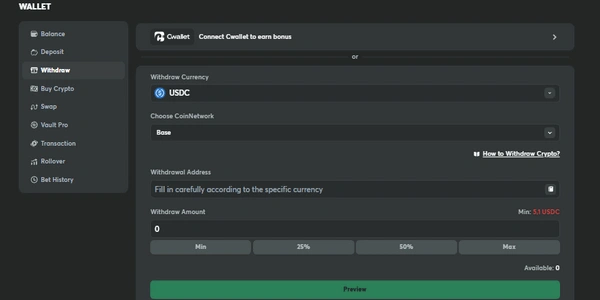
- Click the Wallet icon (located in the top right corner or sidebar).
- Select the Withdraw tab.
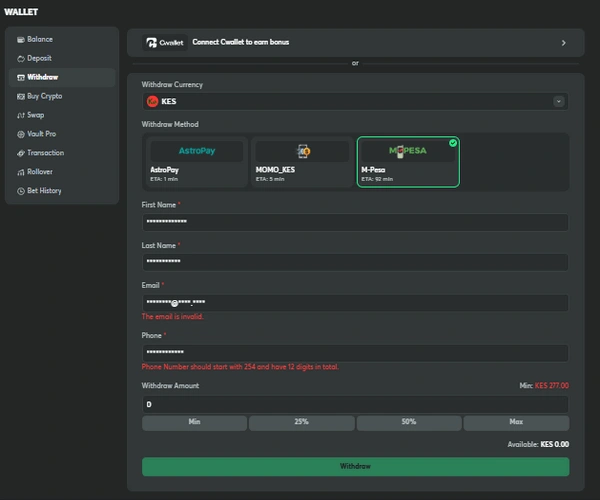
- Choose your preferred withdrawal method: M-Pesa, enter your Kenyan phone number linked to M-Pesa: cryptocurrency, select coin and paste your wallet address
- Enter the amount you wish to withdraw (make sure it meets the minimum limit).
- Click Confirm (you may need to enter 2FA code if enabled).
- Wait for the status to change from “Pending” to “Processing” → “Completed”.
- Check your M-Pesa balance or crypto wallet for the funds.
Troubleshooting: Common BC.Game Withdrawal Issues & Solutions
This section lists the most frequent issues Kenyan players face and shows exact steps to resolve them quickly. Checking these points before contacting support saves time and keeps the BC Game cash out process fast and reliable.
Why is My Withdrawal Pending or Delayed?
Most pending requests are processed within 24 hours. If longer, contact live support. Common reasons include:
- Account still under verification / KYC not completed
- Active bonus with unmet wagering requirements
- Security review triggered (especially on large first withdrawals)
- Withdrawal requested during weekends or public holidays
- Incorrect wallet address or phone number format
Can I Cancel a Withdrawal Request?
Yes, you can cancel a withdrawal while it is still in Pending status. Once processing starts, cancellation is no longer possible.
- Go to Wallet → Withdrawal History
- Find the pending request
- Click Cancel (available only for Pending transactions)
What if Money Doesn’t Reach My M-Pesa?
Steps to take:
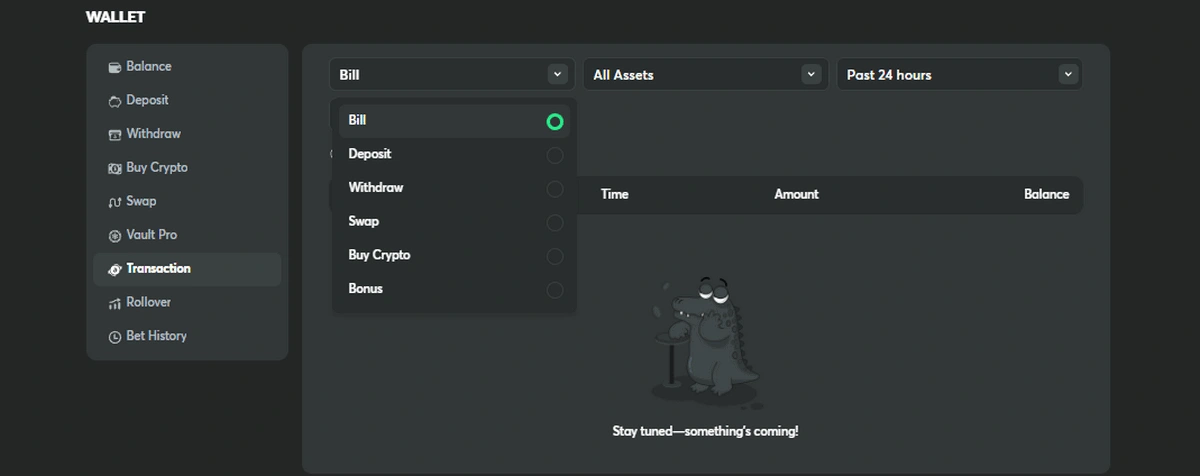
- Check transaction status in BC.Game → Wallet → History
- Verify that the phone number was entered correctly (international format: +0000XXXXXXXX)
- Wait at least 4–6 hours (rare cases take up to 24 hours)
If no funds arrive after 24 hours → contact live support and provide:
- Transaction ID (TXID or Withdrawal ID)
- Exact time of request
- Screenshot of M-Pesa statement
Support usually resolves such cases within a few hours.
Tips for Fast & Secure Withdrawals in Kenya
- Complete account verification as early as possible, ideally right after registration
- Always clear bonus wagering requirements before requesting a BC Game cash out
- Save the TXID / Withdrawal ID for every transaction
- Avoid requesting withdrawals during major Kenyan holidays or weekends
- Set up 2FA (Google Authenticator) for extra account security
Conclusion: Your Reliable Cash Out Path at BC.Game
Quick M-Pesa transfers and low-fee cryptocurrencies are just two of the many easy withdrawal options available to Kenyan gamers on BC.Game. Strong security standards, lightning-fast processing, and well-defined rules are all upheld by the platform.
Get things rolling smoothly by verifying your account first, then choose your method of choice and following our instructions. To access your BC, please click the button below. Make a withdrawal today from your game wallet.
FAQs / Common Questions
How do I withdraw money from BC.Game to my M-Pesa in Kenya?
Go to your BC.Game Wallet, select ‘Withdraw’, choose M-Pesa, enter the exact phone number registered to your M-Pesa account and the amount. Ensure your account is verified. Requests are typically processed within 24 hours, after which funds will be sent directly to your M-Pesa.
What is the maximum withdrawal limit at BC.Game for Kenyan players?
Withdrawal limits vary based on your account verification level and VIP status. Basic accounts have standard limits (e.g., a certain amount per day), while verified and VIP players enjoy significantly higher or even unlimited withdrawal limits. Check the “VIP” or “Cashier” section in your account for your specific limits.
Why is my BC.Game withdrawal pending or taking so long?
Common reasons include: Account Verification (first withdrawal often requires KYC checks), Bonus Wagering (unmet playthrough requirements on bonus funds), Security Review (standard procedure for large sums), or Payment Processor Delays (especially during weekends). Always check your account messages for updates.
Can I withdraw using cryptocurrency if I deposited with M-Pesa?
This depends on BC.Game’s current internal policy. Often, operators prefer withdrawals to be made using the same method as the deposit, especially for fiat money like M-Pesa. For the most flexibility, using cryptocurrency for both deposits and withdrawals is usually the smoothest process. Check the “Cashier” rules on the site for details.